Everything You Need to Quote Faster
Purpose-built features for telecom presales engineers who need to quote complex services quickly and accurately.
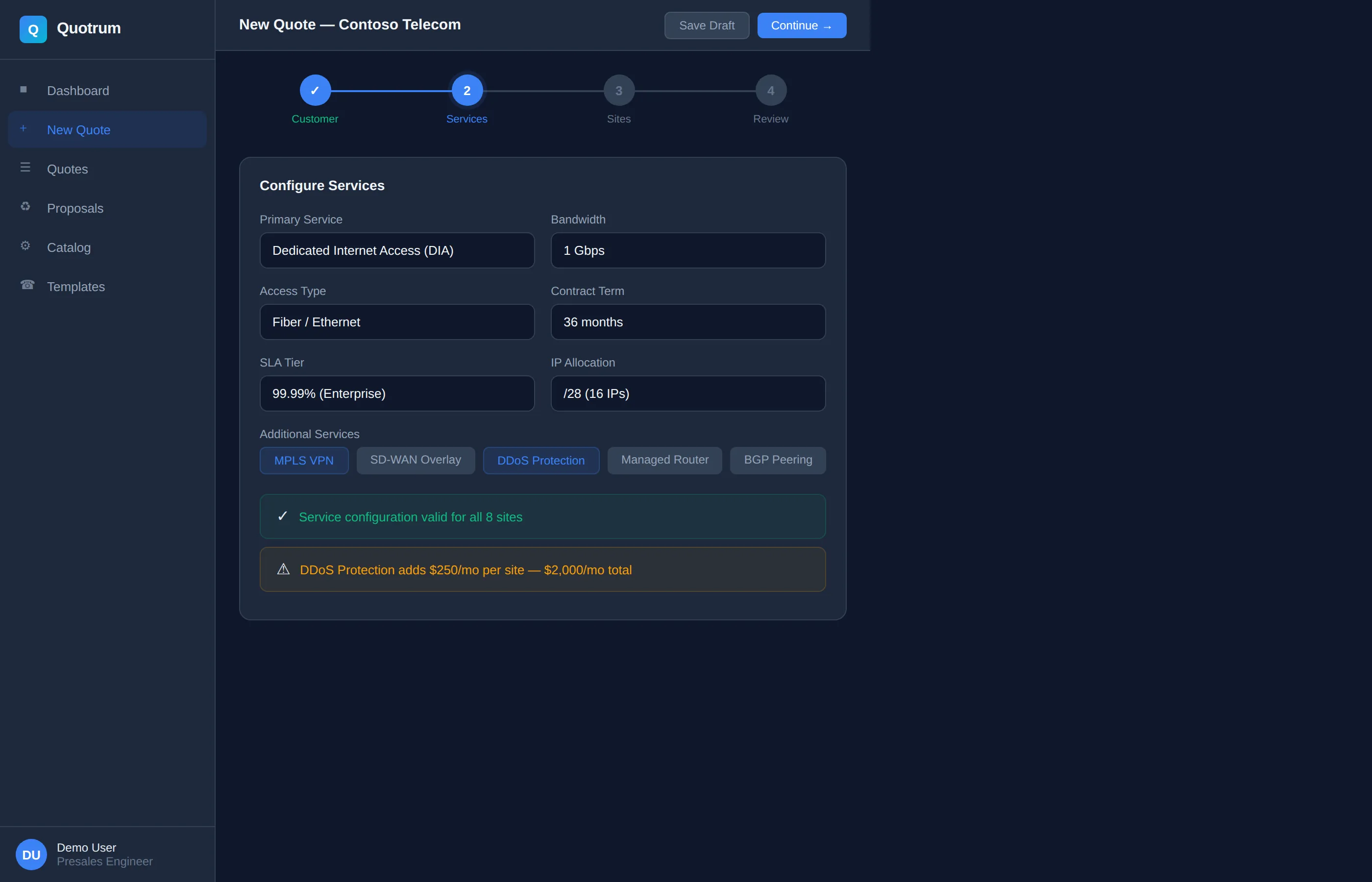
Quote Wizard
Step-by-step guided configuration that walks you through every option. No training required.
- Guided multi-step workflow reduces errors
- Contextual help at every decision point
- Skip or revisit steps as needed
- Smart defaults based on service type
- Visual progress tracking
Catalog-Driven Configuration
Your service catalog drives the entire quoting process. Always up-to-date, always accurate.
- Single source of truth for all services
- Automatic pricing updates
- Carrier-specific rules and constraints
- Custom service definitions
- Version control for catalog changes
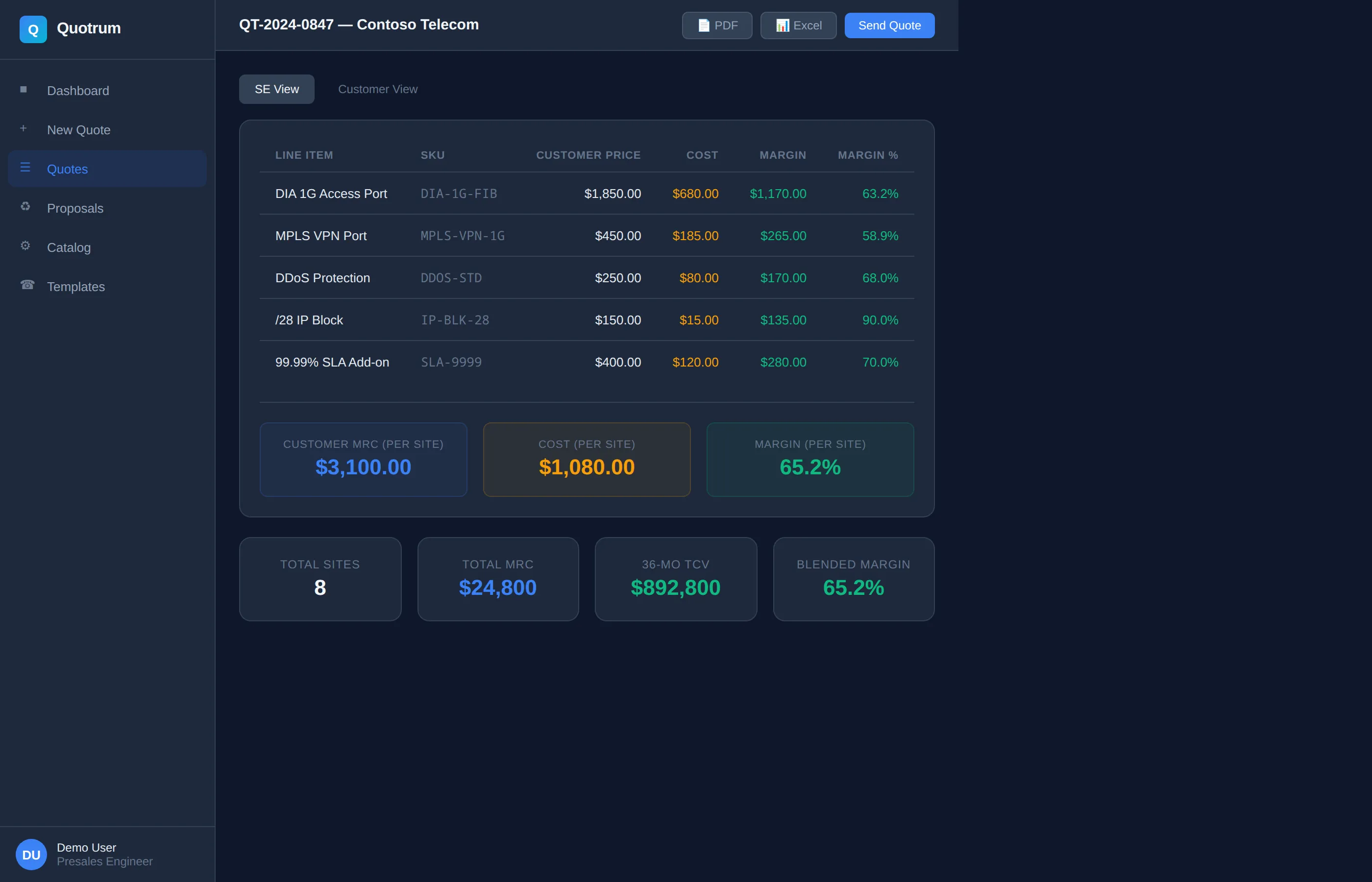
Multi-Site Quoting
Quote multiple locations in one workflow. Perfect for enterprise deals with dozens or hundreds of sites.
- Bulk import from spreadsheet
- Apply configurations across sites
- Individual site overrides
- Geographic diversity analysis
- Rollup reporting and totals
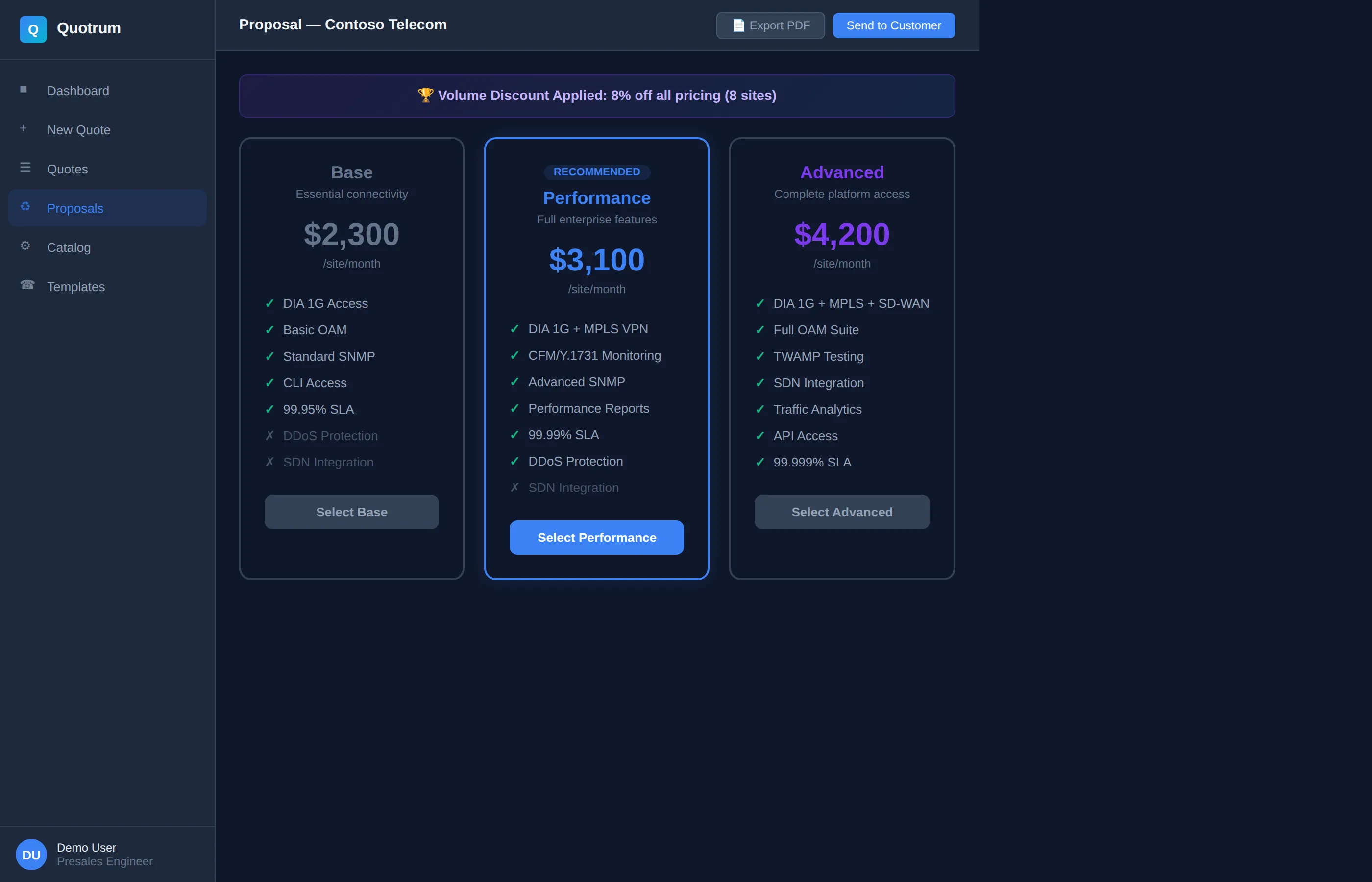
Real-Time Validation
Catch pricing errors, configuration conflicts, and serviceability issues before you send the quote.
- Instant error detection and warnings
- Carrier serviceability checks
- Price reasonableness validation
- Completeness verification
- Custom business rules
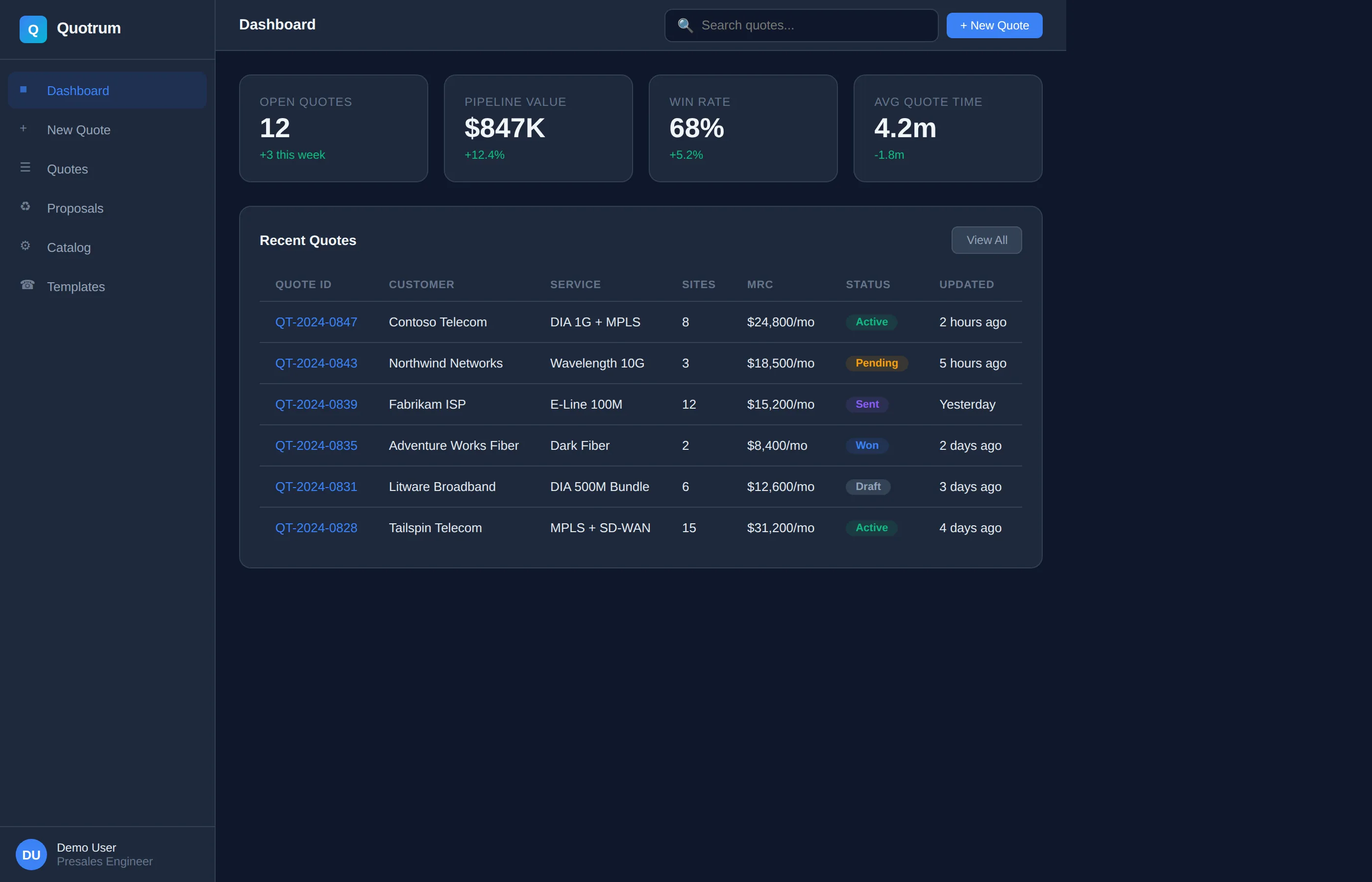
Export & Proposals
Generate professional PDFs, Excel pricing sheets, and CRM-ready data exports.
- Branded PDF proposals
- Detailed Excel pricing worksheets
- JSON export for integrations
- Custom templates
- Automatic version tracking
Desktop Application
Fast, native desktop app for Windows, macOS, and Linux. Works online or offline.
- Native performance and responsiveness
- Offline mode for travel
- Local file storage
- Automatic updates
- Cross-platform compatibility
Why Choose Quotrum?
See how Quotrum compares to spreadsheets and generic CPQ tools
| Feature | Quotrum | Spreadsheets | Generic CPQ |
|---|---|---|---|
| Quote Generation Time | 2-5 minutes | 30-60 minutes | 15-30 minutes |
| Configuration Validation | ✓ | ✗ | Partial |
| Multi-Site Support | ✓ | Manual | Limited |
| Telecom-Specific | ✓ | ✗ | ✗ |
| BOM Generation | ✓ | ✗ | Partial |
| Learning Curve | < 1 hour | Varies | Days/Weeks |
Ready to see it in action?
Request a personalized demo and see how Quotrum can transform your workflow.
Request a Demo